If your phone goes missing, use another trusted device to protect it and contact your mobile operator. Work on both parts of the problem: access to the handset and access to the phone number. A replacement phone alone does not secure the missing device or restore every account.
Students at German Jordanian University (GJU) should keep a way to reach university email or a programme contact without the main phone. For a work device, report the loss through the employer’s process promptly and follow its instructions about remote access or erasure.
The first actions
- Check a recent known location without putting yourself at risk.
- Use the device maker’s official location or lost-device service from a trusted browser or device.
- Contact the operator to report the missing line and ask about suspension.
- Contact the relevant bank or wallet provider if payment access may be affected.
- Keep the device serial number, phone number and report references together.
A location marker can be inaccurate or out of date. Do not confront someone at a location shown on a map. Report suspected theft through the appropriate local process and ask your insurer what record it requires for a claim.
An iPhone: Find My and Lost Mode
Apple says you can use Find My or icloud.com/find to locate a device and mark it as lost. Lost Mode locks the device with the passcode and suspends payment cards and passes used with Apple Pay. It requires the relevant feature to have been set up; a device that was not added before the loss cannot simply be made trackable afterwards. Apple lost-device guidance.
Keep the device on your account while following the recovery or claim process. Apple warns that removing it from Find My removes Activation Lock. Never give someone your passcode, password or verification code because they claim to have found the phone. Open the official service yourself: iCloud Find Devices.
An Android device or Google Account
Use Google’s official recovery and device tools rather than a link sent by an unknown contact. Google’s account guidance explains reviewing devices in the security section and signing a missing device out of account access. Follow the current prompts for the device and account you actually use. Google lost-device account guidance; Google Find Hub.
Change affected passwords where appropriate and review recovery methods after securing the main account. Keep a secure way to receive necessary verification that does not depend only on the phone that has disappeared.
Ask the operator about the number
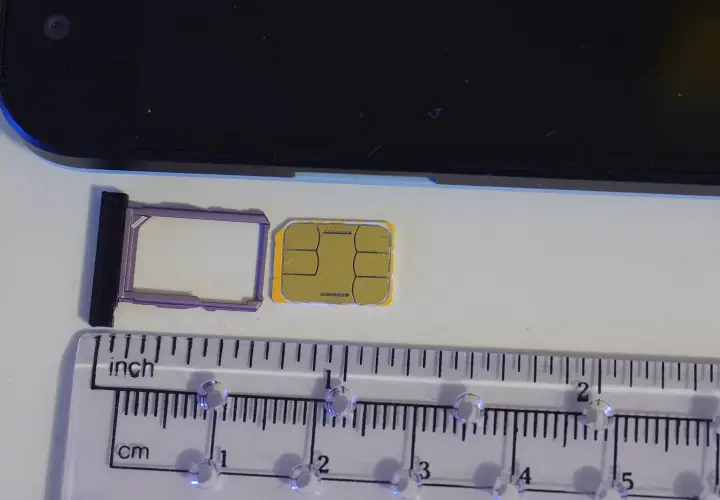
Tell the operator whether the physical card, digital profile or whole phone is missing. Ask it to explain suspension, ownership verification and replacement for your particular line. Take the original identity document used for registration and keep the number, account details and available recharge records ready.
Use an official shop or account-support channel. Ask whether you can retain the number, what charges apply and when the replacement will work. Do not buy a different line immediately if keeping the old number is important for a bank or university record.
A digital SIM is not just a reusable image
Orange Jordan says its digital-SIM activation voucher is single-use. If the profile is deleted or a device is lost or stolen, its guidance directs users to a smart store for a new QR code. Follow the process of your own operator and device rather than repeatedly scanning an old code. Orange Jordan replacement guidance.
Keep an active profile installed during ordinary troubleshooting unless the operator tells you otherwise. If you are changing devices deliberately, establish the transfer or replacement sequence before erasing the old one.
If you must change the number
| Record or service | What to update |
|---|---|
| University | Student portal contact, programme office and urgent assessment contact. |
| Employer | Work directory, device-management process and approved authentication. |
| Bank or mobile wallet | The provider’s official number-change and verification process. |
| Delivery and transport apps | Account number and reachable contact for existing bookings. |
| Accommodation contact | The number used for access, maintenance or arrival messages. |
Check that a new number can receive messages before updating accounts that rely on one-time codes. Follow each provider’s recovery procedure, and keep confirmation of changes. Do not assume forwarding from the old number has been arranged.
Prepare a recovery record while you still have the phone
Keep the number, operator, device serial and useful support contacts in a secure record accessible elsewhere. Turn on a device lock and the official recovery features. Choose an account recovery method that still works if the handset and its card are both unavailable.
The apps and offline-information guide helps organise this preparation. The recharge guide explains saving account and payment references that can help identify a line.
Keep everyday contacts working during a stay
Our Jabal Amman apartments for rent for international students and workers are available by room or as whole apartments. Confirm your unit, price and inclusions, and keep the agreed accommodation contact reachable through a backup channel. If you change a number during your stay, tell the person responsible for access and maintenance through the channel you already use.